
First off, we’ll have a quick look at what exactly a vector file and a bitmap file are.
Vector:
A vector file
is a file that’s constructed from shapes that are defined by mathematical
equations. Because they're scalable, vector-based images are resolution
independent. You can increase and decrease the size of vector images to any
degree and your lines will remain crisp and sharp, both on screen and in print.
See images below.
The fact that vectors are constructed using
mathematical equations is their strength. It keeps the details in the image as
high as possible, and means that if you want to change how large or how small
you would like the image to be printed, you can do so without worrying about
quality.
Another advantage of vector images is that they're not restricted to a rectangular shape like bitmaps. Vector objects can be placed over other objects, and the object below will show through. A vector circle and bitmap circle appear to be exactly the same when seen on a white background, but when you place the bitmap circle over another color, it has a rectangular box around it from the white pixels in the image.
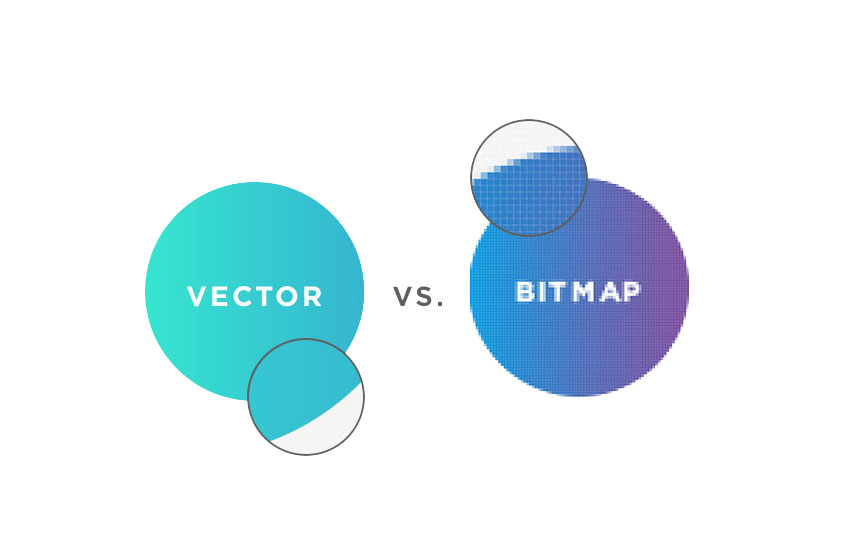
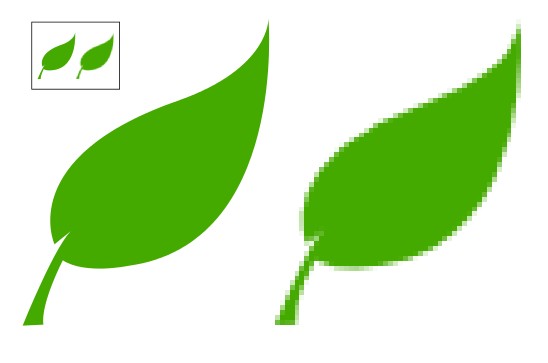
Vector has crisp lines no matter the size while Bitmap has fuzzy lines when blown up.
Bitmap:
A bitmap file (also known as
a raster or picture)
is an image that’s constructed from pixels. If you zoom into a bitmap file, you
start to see the individual pixels and, consequently, it’s important that
bitmap files for printing are used with a
resolution that is high enough — typically, 300 dpi or higher.
A strength of bitmaps is
linked with their use in photography. Photos are created as
bitmaps within a typical digital camera, normally as JPGs or RAW files. So if
you’re working with photographic-quality images, you’ll typically need to use a
bitmap file.
Because bitmaps are
resolution dependent, it's impossible to increase or decrease their size
without sacrificing a degree of image quality. When you reduce the size of a
bitmap image through your software's resample or resize option, pixels must be discarded.
When you increase the
size of a bitmap image, the software has to create new pixels. When creating
pixels, the software has to estimate the color values of the new pixels based
on the surrounding pixels. This process is called interpolation.
Let's assume you have a
red pixel and a blue pixel beside each other. If you double the resolution you
will be adding two pixels between them. What color will those new pixels be?
Interpolation is the decision process that determines which color those added
pixels will be; the computer is adding what it thinks are the correct colors.
Scaling an image does
not affect the image permanently. In other words, it doesn't change the
number of pixels in the image. What it does is make them bigger.
AI created artwork: